 Agent Fleet
Self-hosted · Open source (Apache-2.0)
Don't replace your coding agents. Operate them.
Agent Fleet is not another agent framework. It runs the coding-agent CLIs your team already uses — as they are — on your own servers, and takes on everything around them: isolated workspaces, real git worktrees, and one console to start, follow, steer and account for every session.
Runs today
- Claude Code
- Codex CLI
- GitHub Copilot CLI
- Antigravity CLI
- Cursor CLI
- Kiro
- OpenCode
- Muse Code
- llama.cpp
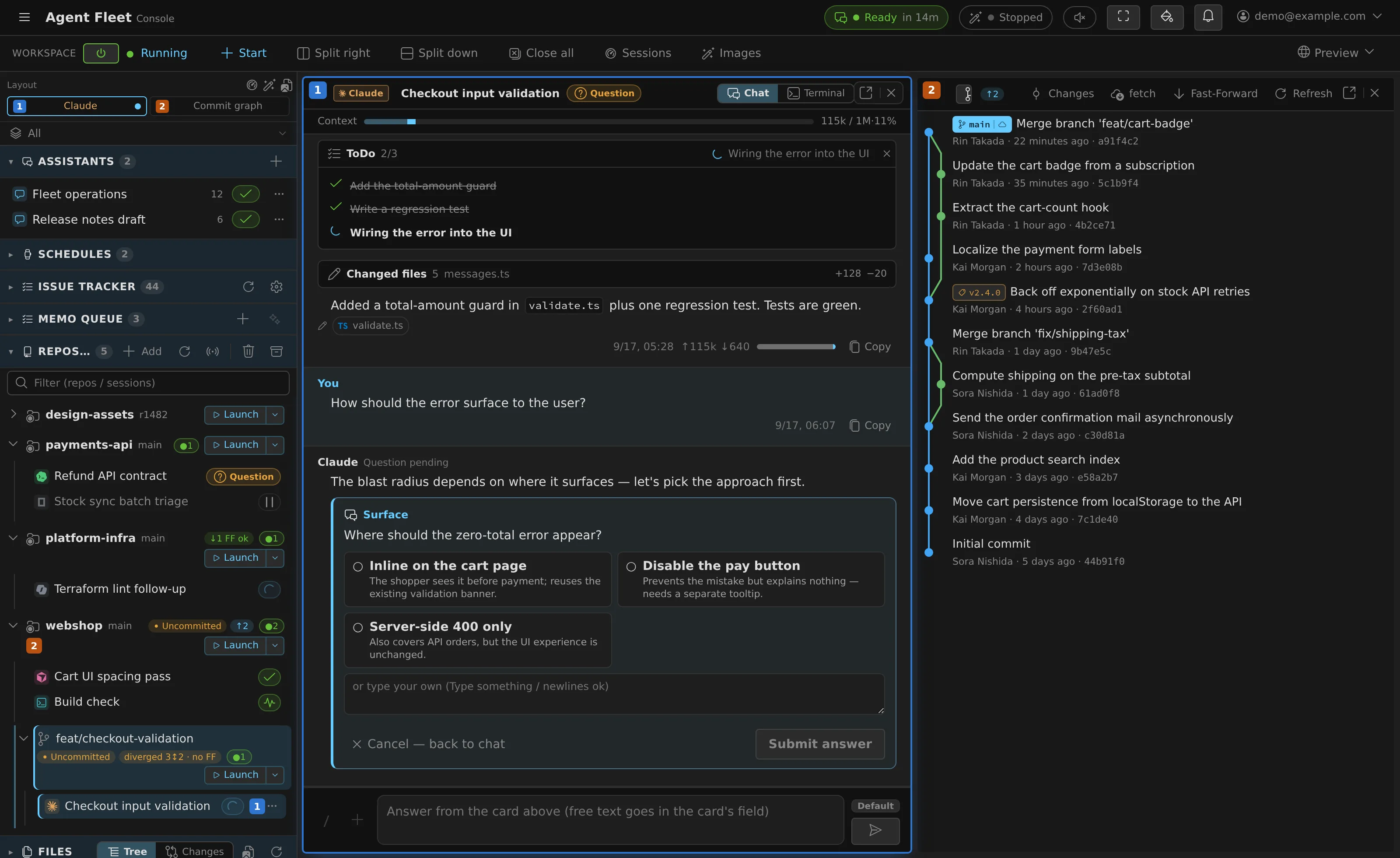
The agents stay. The operations move to one place.
Your agents, as they are
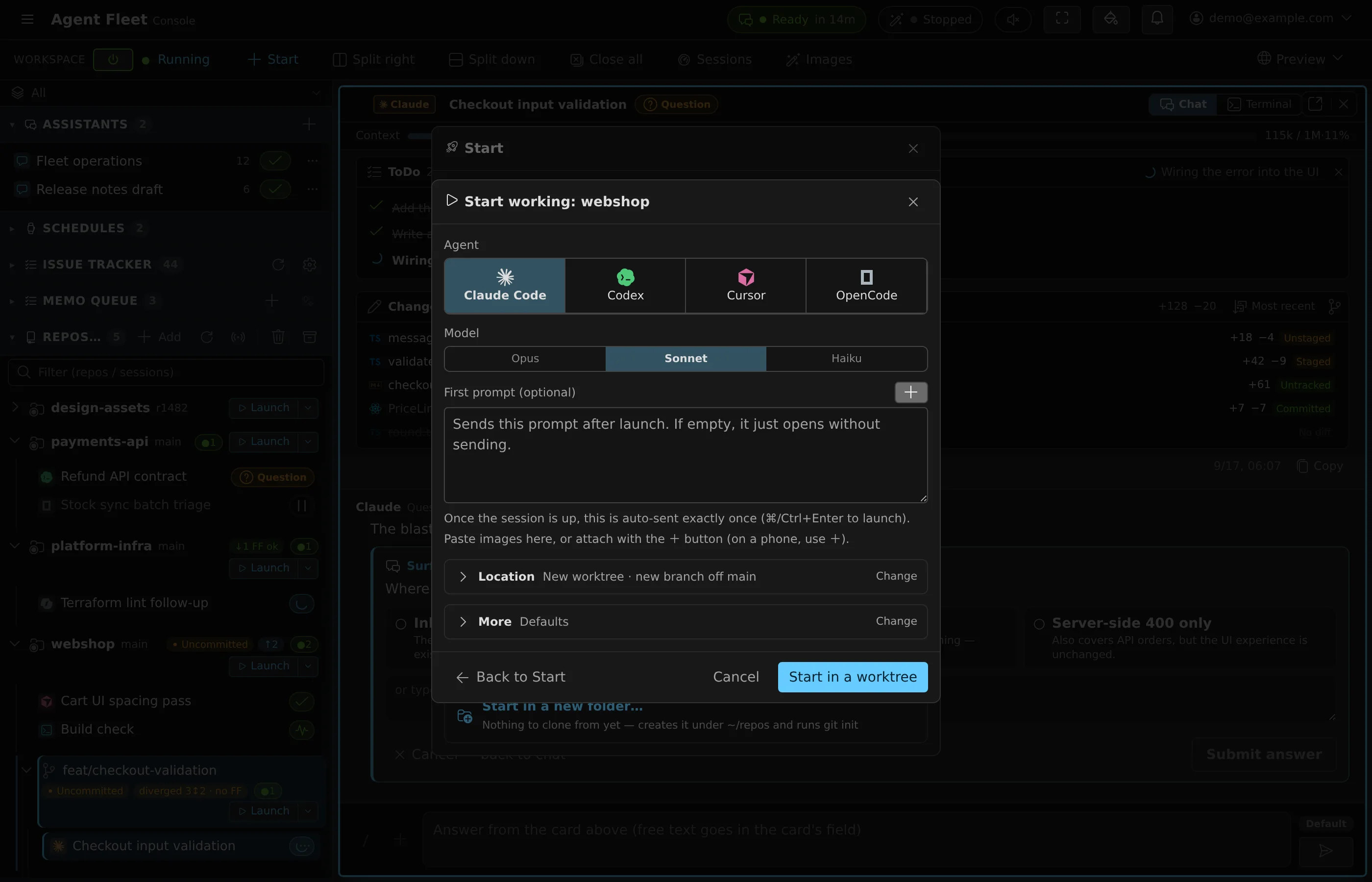
Claude Code stays Claude Code and Codex stays Codex. Each CLI keeps its own sign-in, models and behaviour, so your team keeps the tools it already trusts — nine of them, side by side.
Work that doesn't wait for you
Sessions run on the server, each in its own git worktree. Close your laptop: questions and permission requests reach you in the browser, on your phone, or in the session's Slack or Discord thread.
Inside your company
One company runs one deployment on its own infrastructure, so credentials, source and conversations stay inside it. The code is open, so you can audit the encryption and the isolation yourself.
A day with Agent Fleet
Hand work off in the morning. It keeps going through the night.
Daytime
- Hand off two issues
One to Claude Code, another to Codex — each in its own git worktree.
- Close the laptop
Leave. Both keep working on the server.
- Answer from your phone
One asks for permission. The request arrives in that session's Slack thread, and you answer it there.
- Review at a desk
The session list shows which finished and which wait on you; each worktree's changes are a click away.
Overnight
- Leave the night shift a job
Tell the assistant in plain words: "every night at 2:00, update the dependencies and run the tests."
- It runs while you sleep
The schedule wakes the stopped workspace, starts the session and runs the prompt.
- A limit doesn't end the night
If a usage limit cuts a turn short, it picks up on its own when the limit lifts.
- The results are waiting
Each run is in the schedule's history, one click from the session it drove.
Fleet operations
Operate a fleet, not a single chat
What changes when a team runs many agent sessions at once — and what Agent Fleet takes care of.
Many sessions at once
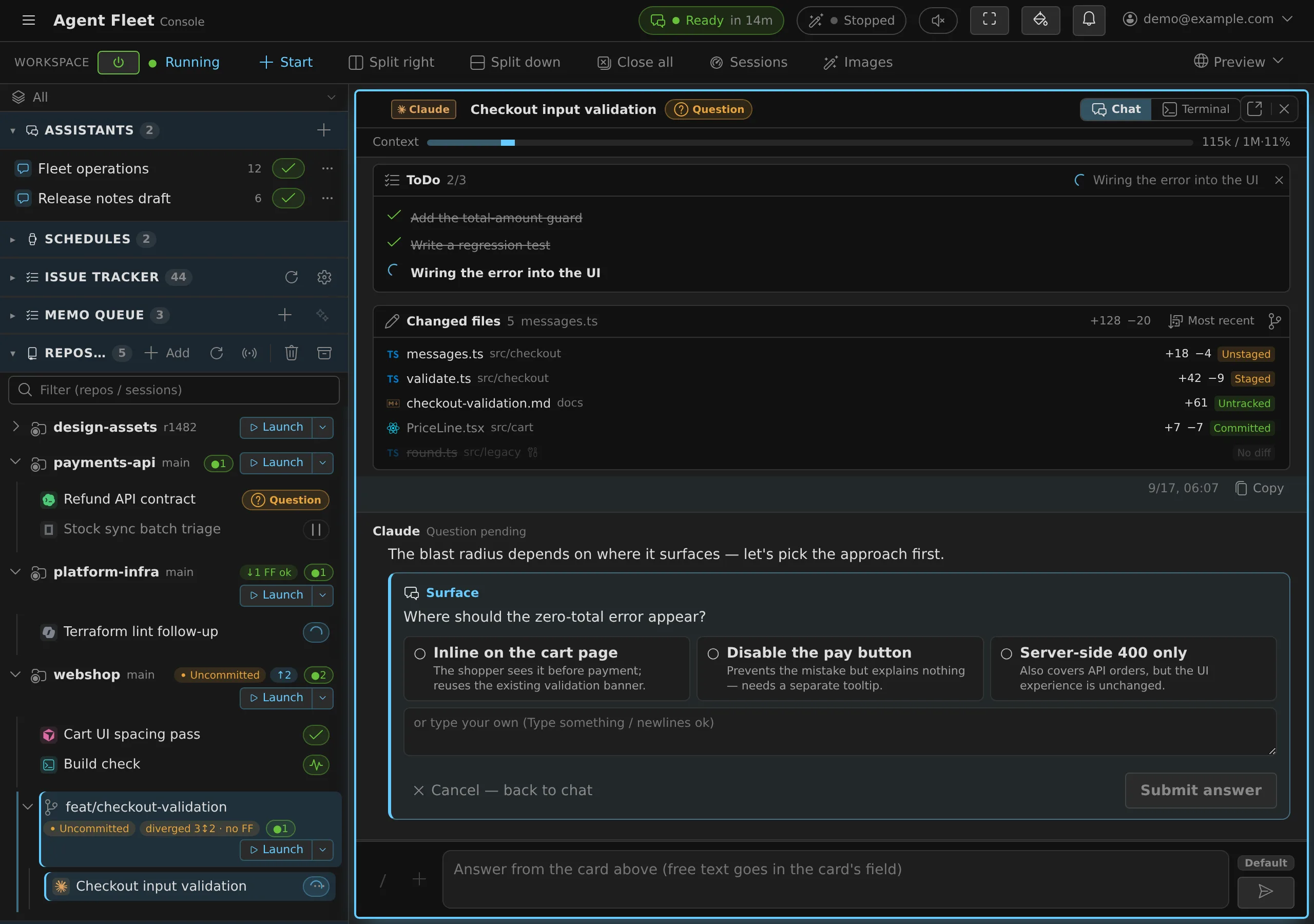
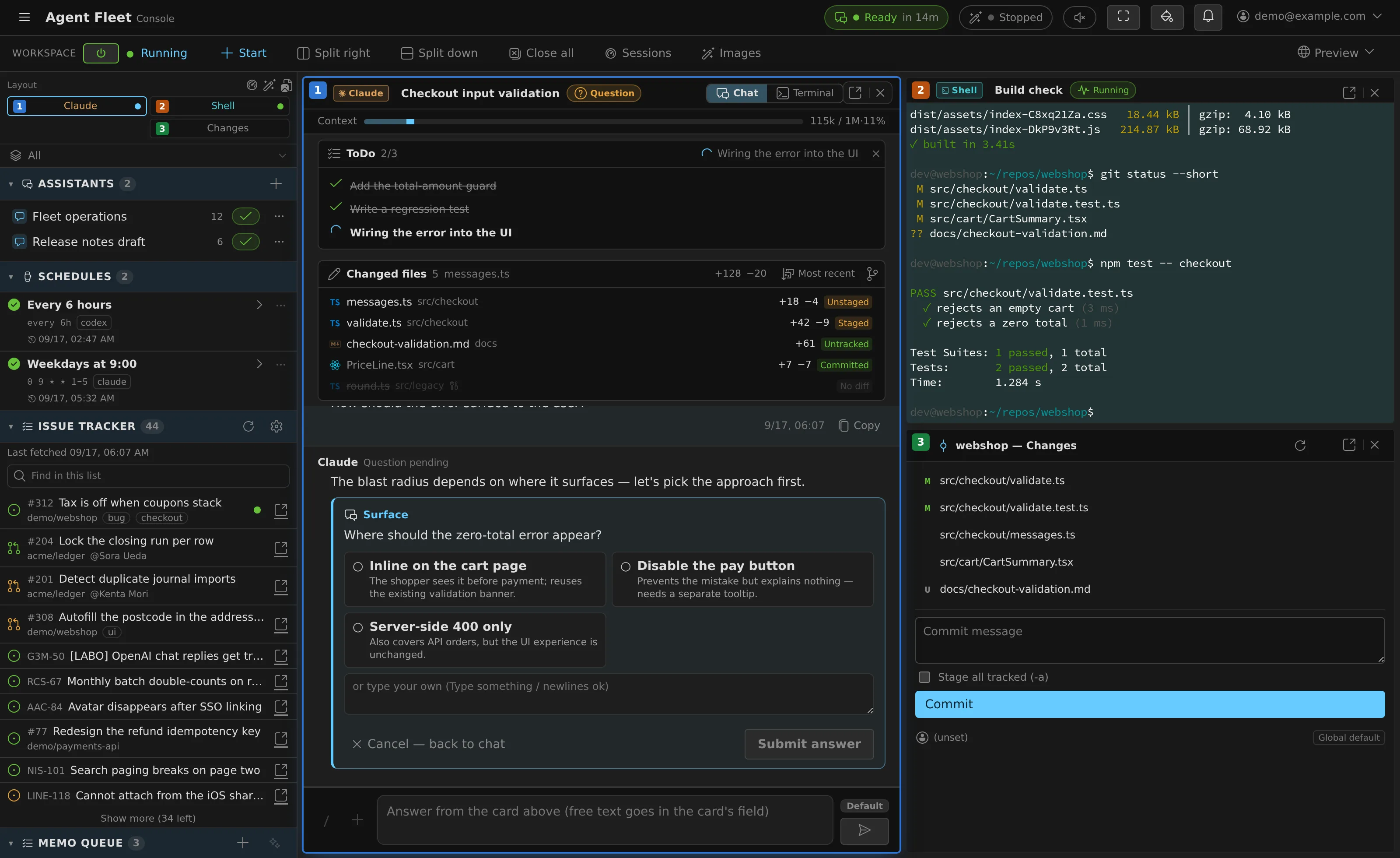
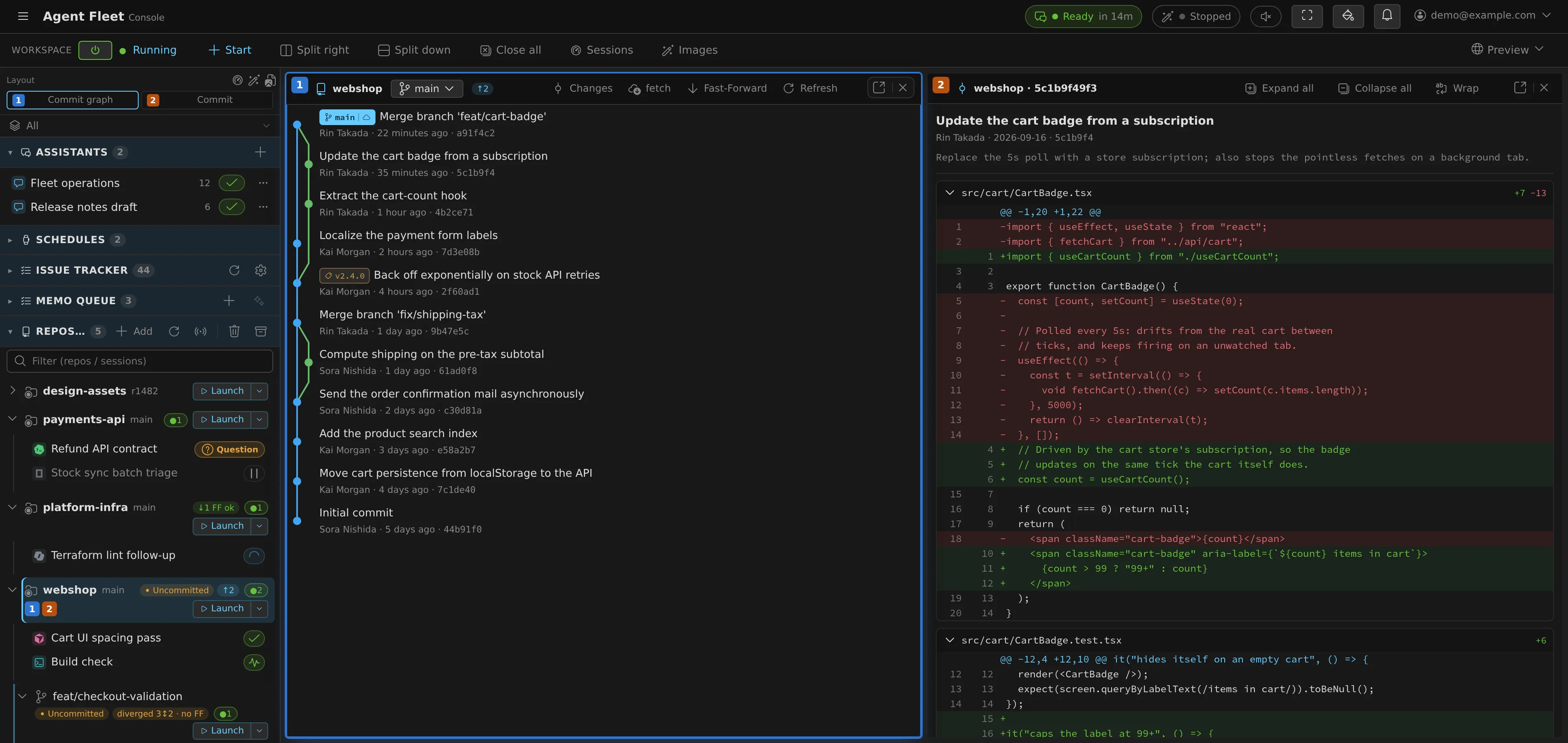
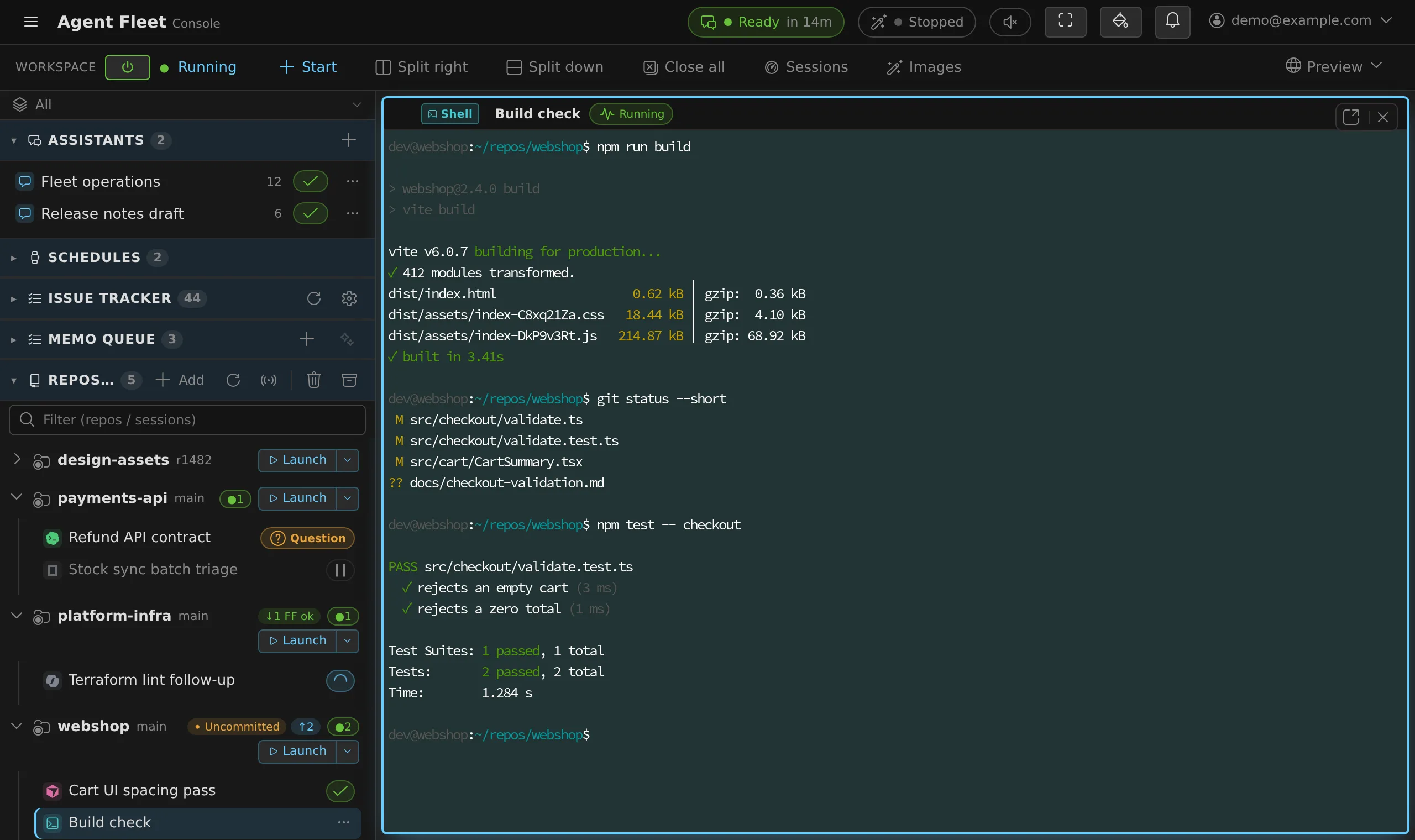
Across agent kinds, each in its own worktree. One view shows which sessions are working and which wait on a question, a plan or a permission prompt — the ones waiting on you are coloured so they stand out.
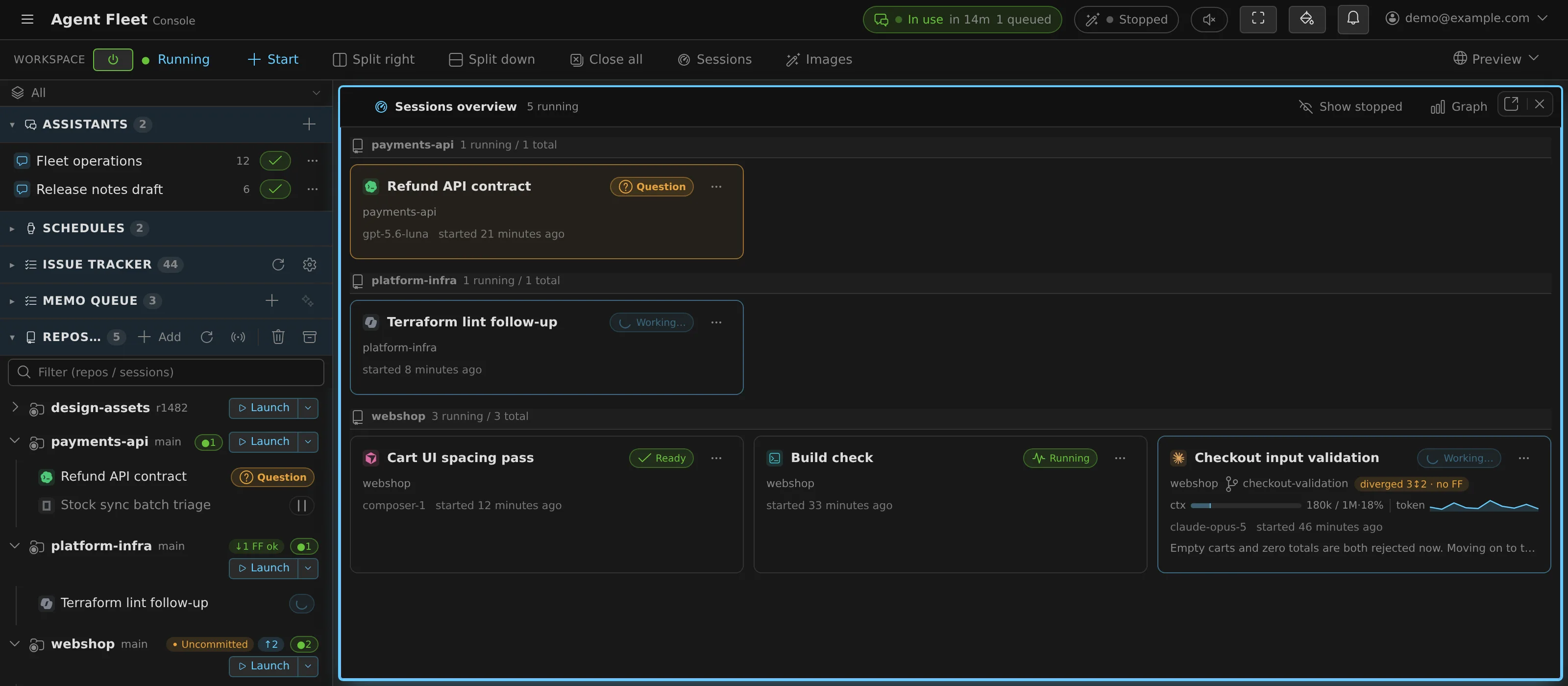
Follow and steer from the browser
Every session is mirrored live. Questions, plans and permission prompts arrive as cards you answer in place.
- Or answer from the session's Discord / Slack thread, with buttons.
- The Console works in a phone's browser.
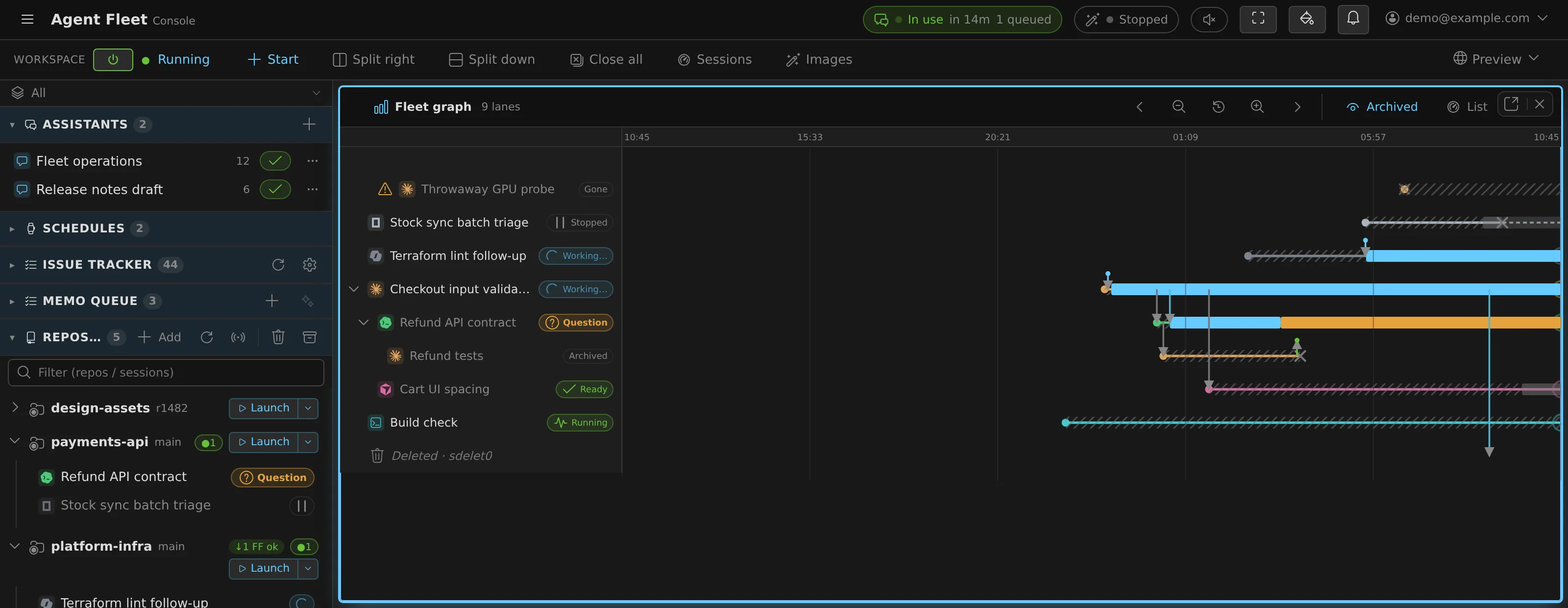
Sessions that start sessions
A session can hand a review to another agent kind and get one report back. The fleet graph draws who started whom, what passed between them, and when each one was working.
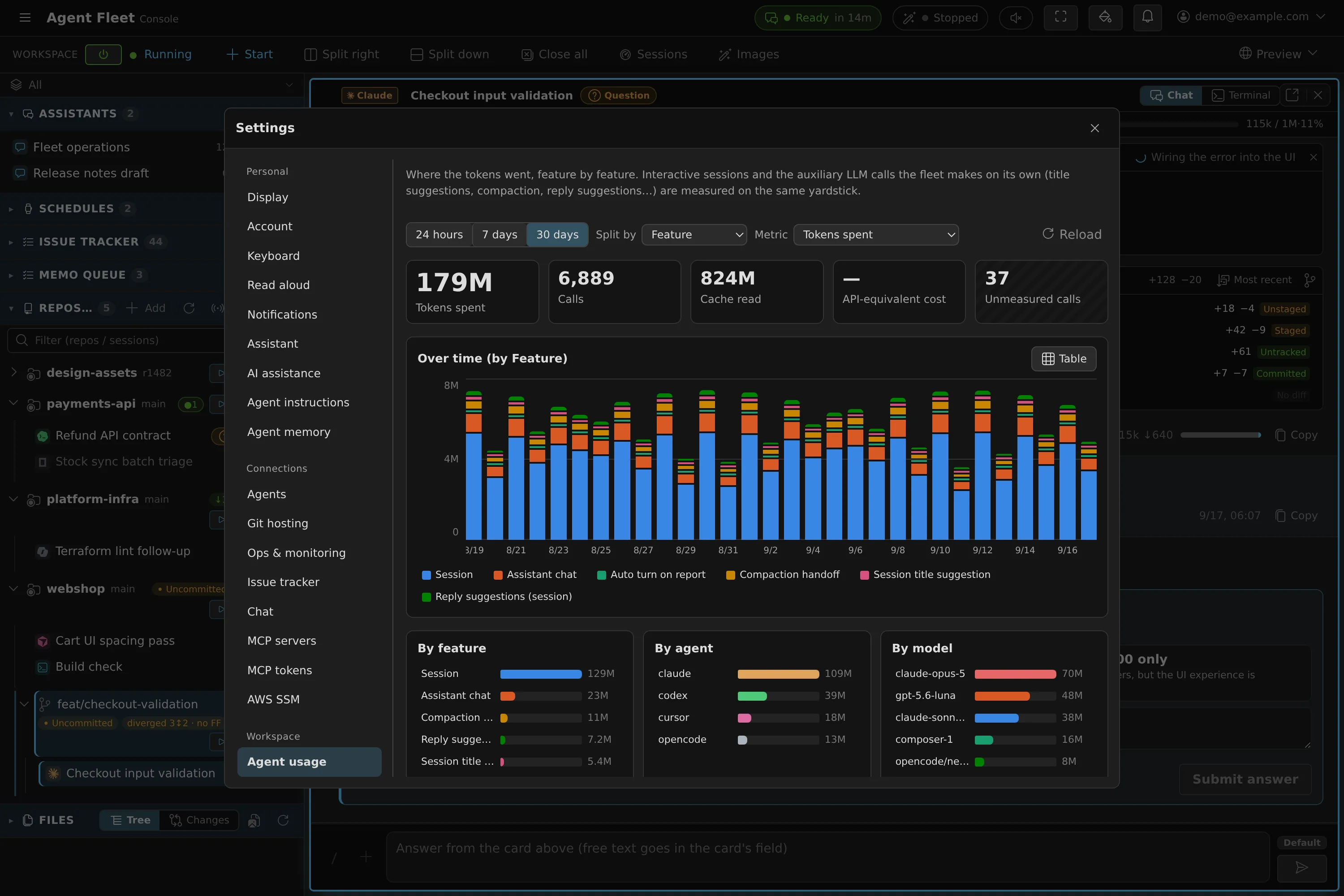
One yardstick for spend
Tokens per feature, per agent and per model, over 24 hours, 7 days or 30 days. Calls that report no tokens are counted as unmeasured — never as free.
Unattended work
Scheduled runs wake a stopped workspace and run the prompt. A turn cut short by a usage limit resumes when the limit lifts, so nothing sits dead until morning.
One set of rules for every agent
Fleet-wide policy and per-member instructions reach every agent kind in each CLI's own idiom. The memories Claude Code and Codex build up on their own are snapshotted and can be rolled back.
Upstream changes
Built to survive upstream changes
Agent CLIs change every few days. Supporting nine of them is only worth something if the support keeps working.
Pinned
Every CLI is pinned to a version that was verified. Self-update is opt-in.
Tested against the real CLI
A daily watcher notices when a CLI publishes a new version and dispatches a contract test that drives the real CLI — its interactive TUI included — against what Agent Fleet depends on.
Seen is not tested
"We saw a new version" and "we tested it" are recorded separately, so a release that has not passed its contract is never mistaken for one that has.
Security
Self-hosted, by design
One company runs one deployment, on its own infrastructure. Companies are isolated by separate deployments, not by boundaries inside a shared service.
Your infrastructure
A single Linux host with Docker Compose, or AWS. The same core either way.
Isolated workspaces
Each member gets a persistent container with cgroup CPU and memory quotas and per-user network isolation — a bubblewrap sandbox in the Docker-less native edition.
Your identity provider
Sign in with Google, Microsoft Entra ID, Okta or any OIDC provider. Tenants and member, admin and operator roles.
Your own seats
Each member signs in to the agent CLIs with their own account. The deployment neither bundles nor shares AI-provider credentials.
Encrypted secrets
Credentials are stored with envelope encryption: per-workspace keys wrapped by a tenant key.
Auditable, and candid
Apache-2.0 source. The security policy documents the threat model and the residual risks an operator should understand.
Editions
Choose where it runs
Start on one Linux host. Move to AWS when you need task-level isolation — the choice is yours to revisit.
compose
A team, on one Linux host with Docker. Automatic TLS, sign-in through your identity provider.
native
A single user on WSL2 or a personal Linux box. Installs into your home directory.
ec2-single
Compose on one VM — the same operational model, on AWS.
ecs · ecs-ec2
Task-level isolation, per-user fault isolation and rolling image replacement.
Choosing a deployment target, costs included →
Try it on your own machine
The native edition needs x86_64 Linux or WSL2 and no Docker. Each member signs in to the agent CLIs with their own account from the Console.
curl -fsSL https://raw.githubusercontent.com/k-k1/agent-fleet-dist/main/install.sh | bash
af start
# then open http://localhost:8099